
ShuBook 2F 書僕3.3.1 - App Store
You'll be able to see results in few seconds.
Publisher Description
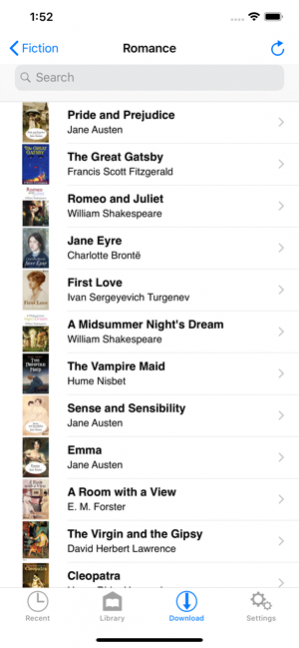
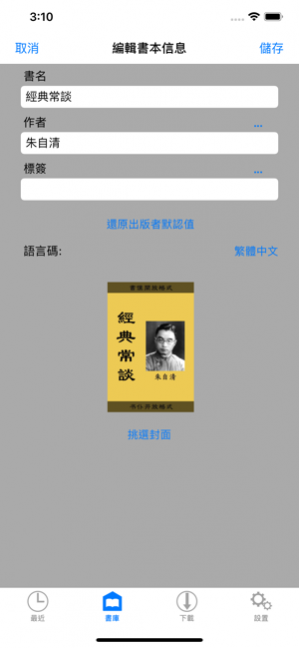
*** 中文讀者請看 ShuBook 2P 的相關說明。***
■ READING BOOKS
① Read DRM-free and password-free books of 3 fluid-layout formats and 5 fixed-layout formats
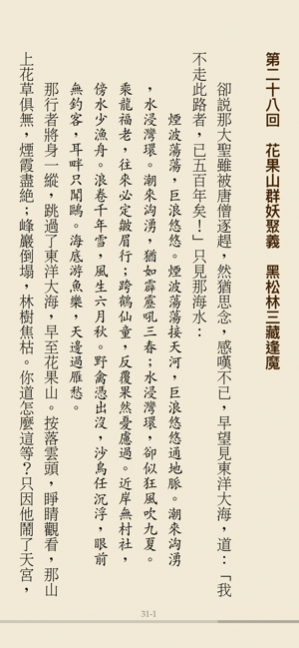
② Read fluid-layout formats (EPUB, TXT, UPDB) in horizontal page-turning mode
③ Read fixed-layout formats (PDF, RTF, DOC, XLS, PPT) in vertical page-scrolling mode
④ Read in both portrait and landscape orientation
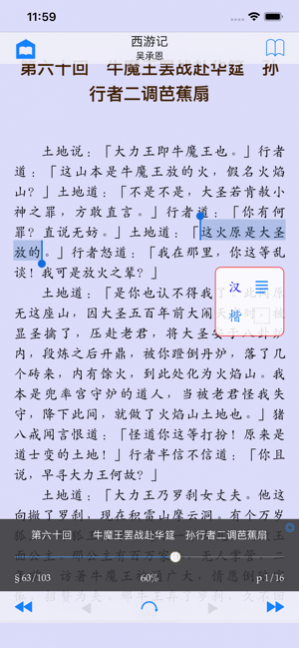
⑤ Long press on text to lookup built-in dictionary, read aloud, and copy
⑥ Support all compatible iPhone and iPad models at native screen resolution
⑦ Provide an option to auto-reopen last book read at the page you left off for fluid-layout formats and fixed-layout formats
For fluid-layout formats:
① Customize various layout parameters (font family, font size, text alignment, page margin, paragraph indentation, paragraph spacing, line spacing, letter spacing, hyphenation) and apply color themes
② Provide 16 built-in eye-pleasing color themes and 3 customizable color themes, where you can control background, text, heading and link colors
③ Jump to any page quickly and precisely via page slider with an unobtrusive reading progress line at the bottom of the page
④ Offer Night mode and brightness control by vertical swipe to complement iOS system brightness control via Control Center
⑤ Perform fast full text search and automatically save recent searches
⑥ Save an unlimited number of bookmarks per book
⑦ Long press on text to lookup built-in dictionary, read aloud, copy, search (and correct for UPDB)
■ MANAGING BOOKS
① Manage books of multiple formats in Library
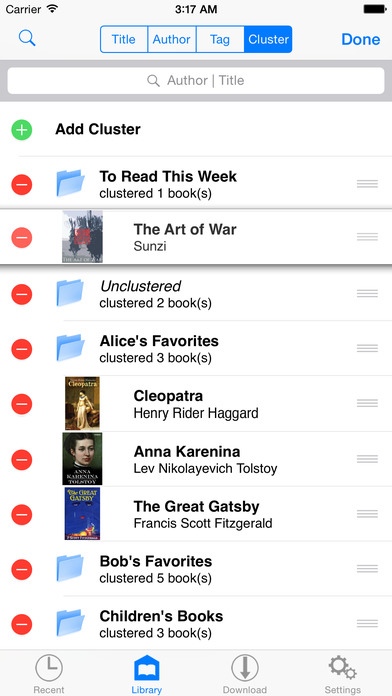
② Group books by titles, authors, tags, and clusters with reading progress display
③ Group books by authors hierarchically in Library allowing multiple authors per book
④ Group books by tags hierarchically in Library allowing multiple tags per book
⑤ Group books by clusters hierarchically in Library allowing adding/removing/editing of clusters and re-ordering of clusters and their books
⑥ Search books in Library by title or author, or with help of the index bar
■ GETTING BOOKS IN AND OUT
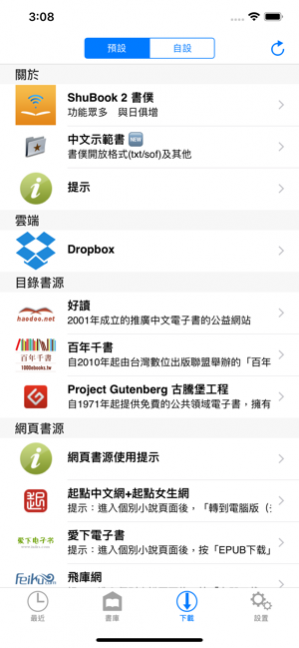
① Provide convenient access to millions of free ebooks from multiple sources (HTML websites and OPDS catalogs), including Dropbox and websites you input
② Perform TXT encoding auto-detection and TXT Smart Break after download/import of TXT files
③ Support downloading tags of books from OPDS catalogs
④ Send and receive books by email
__________
* For users who read Chinese language books, we recommend downloading ShuBook 2P. Otherwise, download ShuBook 2M.
Jan 6, 2020 Version 3.3.1
- Made night mode reading more comfortable
- Fixed minor bugs
About ShuBook 2F 書僕
The company that develops ShuBook 2F 書僕 is Ambibma Ltd.. The latest version released by its developer is 3.3.1.
To install ShuBook 2F 書僕 on your iOS device, just click the green Continue To App button above to start the installation process. The app is listed on our website since 2020-01-06 and was downloaded 0 times. We have already checked if the download link is safe, however for your own protection we recommend that you scan the downloaded app with your antivirus. Your antivirus may detect the ShuBook 2F 書僕 as malware if the download link is broken.
How to install ShuBook 2F 書僕 on your iOS device:
- Click on the Continue To App button on our website. This will redirect you to the App Store.
- Once the ShuBook 2F 書僕 is shown in the iTunes listing of your iOS device, you can start its download and installation. Tap on the GET button to the right of the app to start downloading it.
- If you are not logged-in the iOS appstore app, you'll be prompted for your your Apple ID and/or password.
- After ShuBook 2F 書僕 is downloaded, you'll see an INSTALL button to the right. Tap on it to start the actual installation of the iOS app.
- Once installation is finished you can tap on the OPEN button to start it. Its icon will also be added to your device home screen.
Program Details
System requirements
Download information
Pricing
Version History
version 3.3.1
posted on 2020-01-06
6 Jan 2020 Version 3.3.1
- Made night mode reading more comfortable
- Fixed minor bugs
version 3.3.1
posted on 2020-01-06
Jan 6, 2020 Version 3.3.1
- Made night mode reading more comfortable
- Fixed minor bugs
version 1.7.4
posted on 2015-07-09
Disclaimer
Official App Store Link
We do not host ShuBook 2F 書僕 on our servers. We did not scan it for viruses, adware, spyware or other type of malware. This app is hosted by Apple and passed their terms and conditions to be listed there. We recommend caution when installing it.
The App Store link for ShuBook 2F 書僕 is provided to you by apps112.com without any warranties, representations or guarantees of any kind, so access it at your own risk.
If you have questions regarding this particular app contact the publisher directly. For questions about the functionalities of apps112.com contact us.
